
Essential Admin
OJS File Manager
Direct Installation File & Directory Management Inside OJS Dashboard
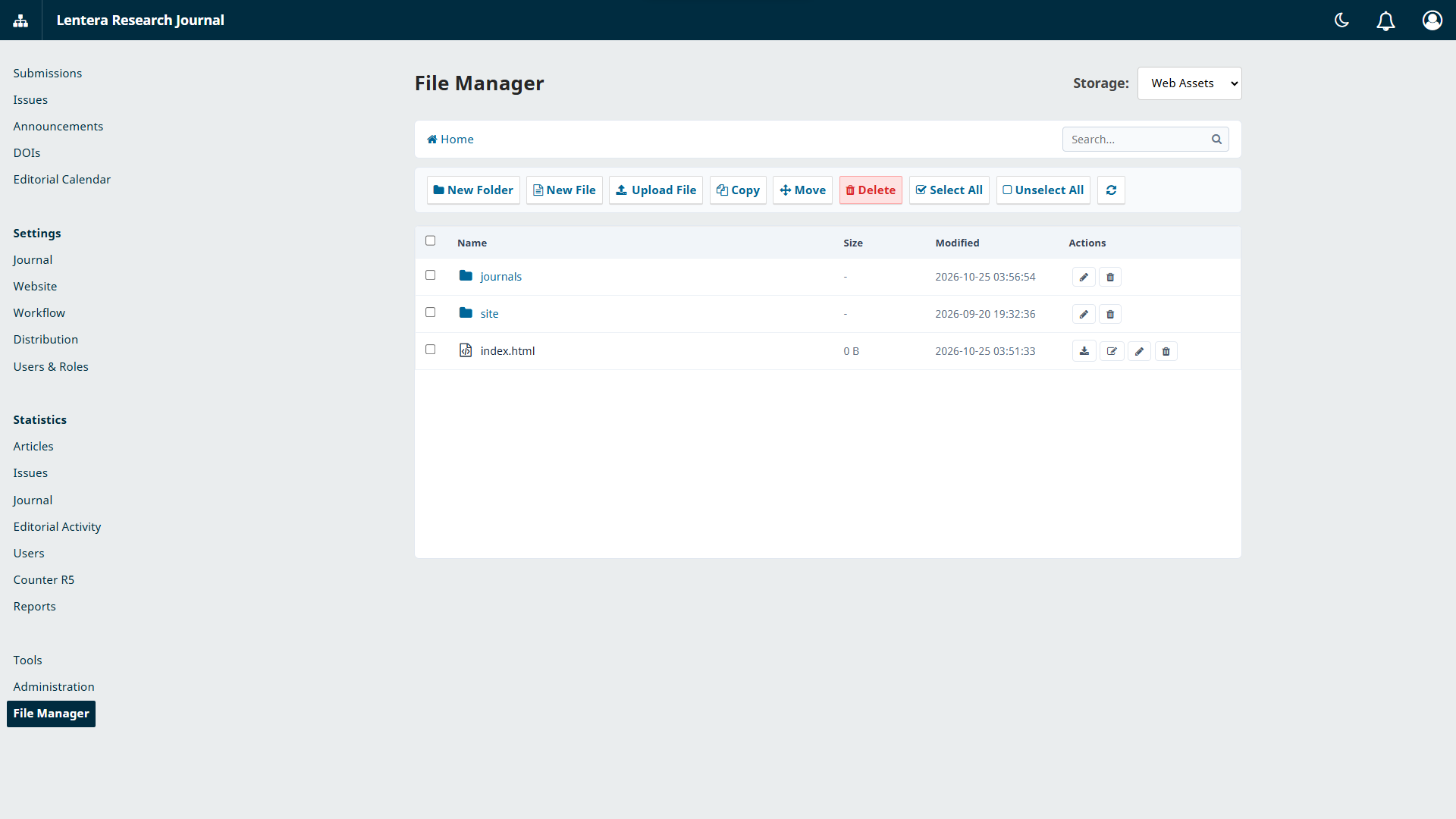
OJS File Manager enables Site Administrators to browse, inspect, and manage installation files and public directories directly from the OJS dashboard without needing external cPanel or SSH access.
Free
Full compatibility with OJS 3.x
Complete installation & configuration guide
Follows PKP OJS security best practices
PLUGIN PREVIEW
KEY FEATURES & CAPABILITIES
File Management
- Real-time OJS directory tree exploration
- Safely upload, download, rename, and delete files
- Built-in code preview and editor for configuration files
Security & Access
- Strict authorization restricted only to Site Administrators
- Directory traversal protection preventing access outside installation root
- Activity logging for file modification actions
Compatibility
- Supports OJS 3.x architecture
- Lightweight with zero impact on public frontend performance
- Easy installation via Plugin Upload menu
TECHNICAL SPECIFICATIONS
Supported PKP OJS VersionsOJS 3.x
PHP VersionsPHP 8.0 / PHP 8.1 / PHP 8.2 / PHP 8.3
Deployment MethodDownload & Install via GitHub Repository
OTHER PLUGINS
Back to Plugin Catalog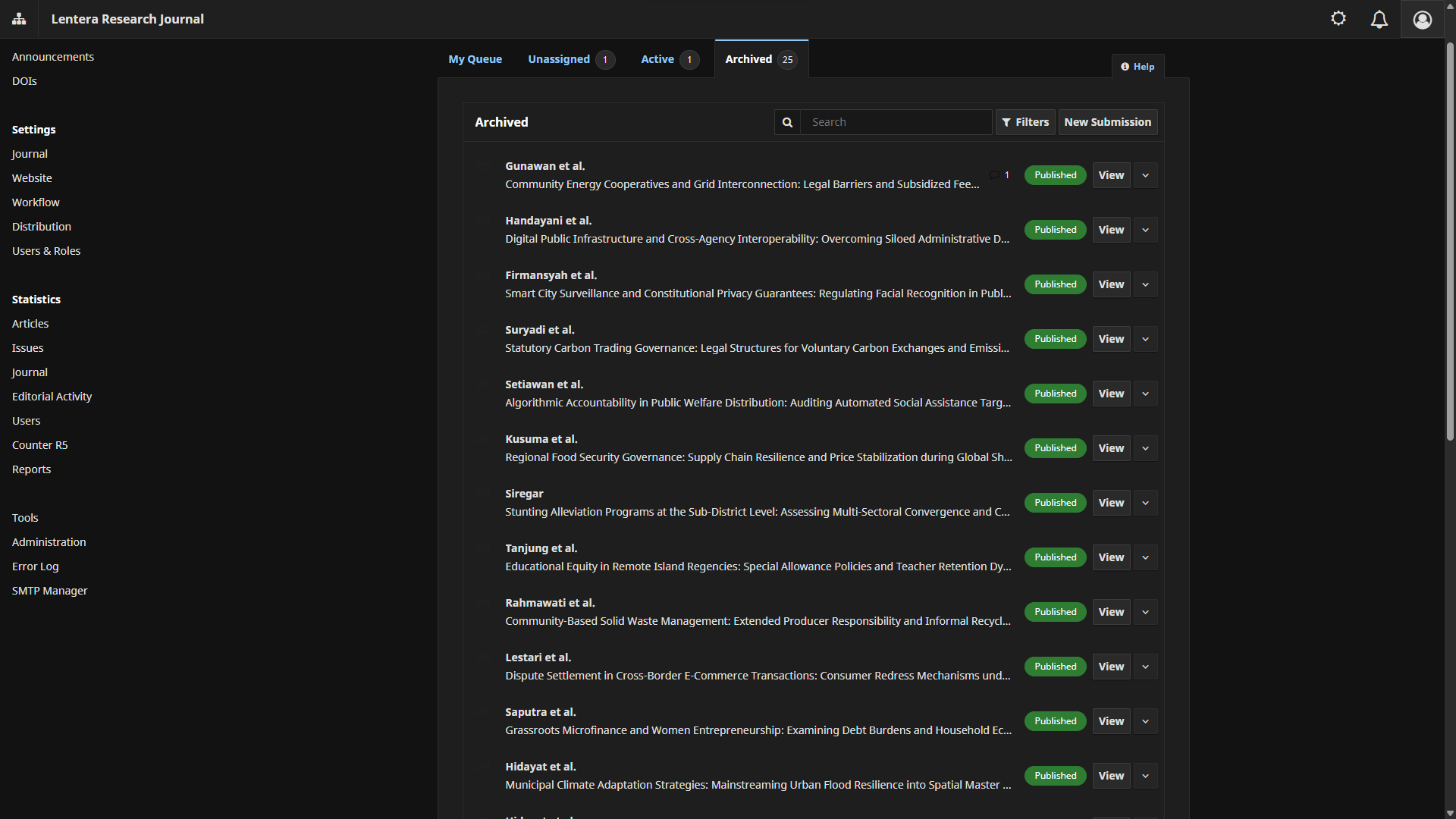
Editorial UI
OJS Dashboard Dark Mode
Sleek dark mode theme for OJS editorial dashboard, reducing eye strain during long editorial reviews.
FreeView Details
Role Security
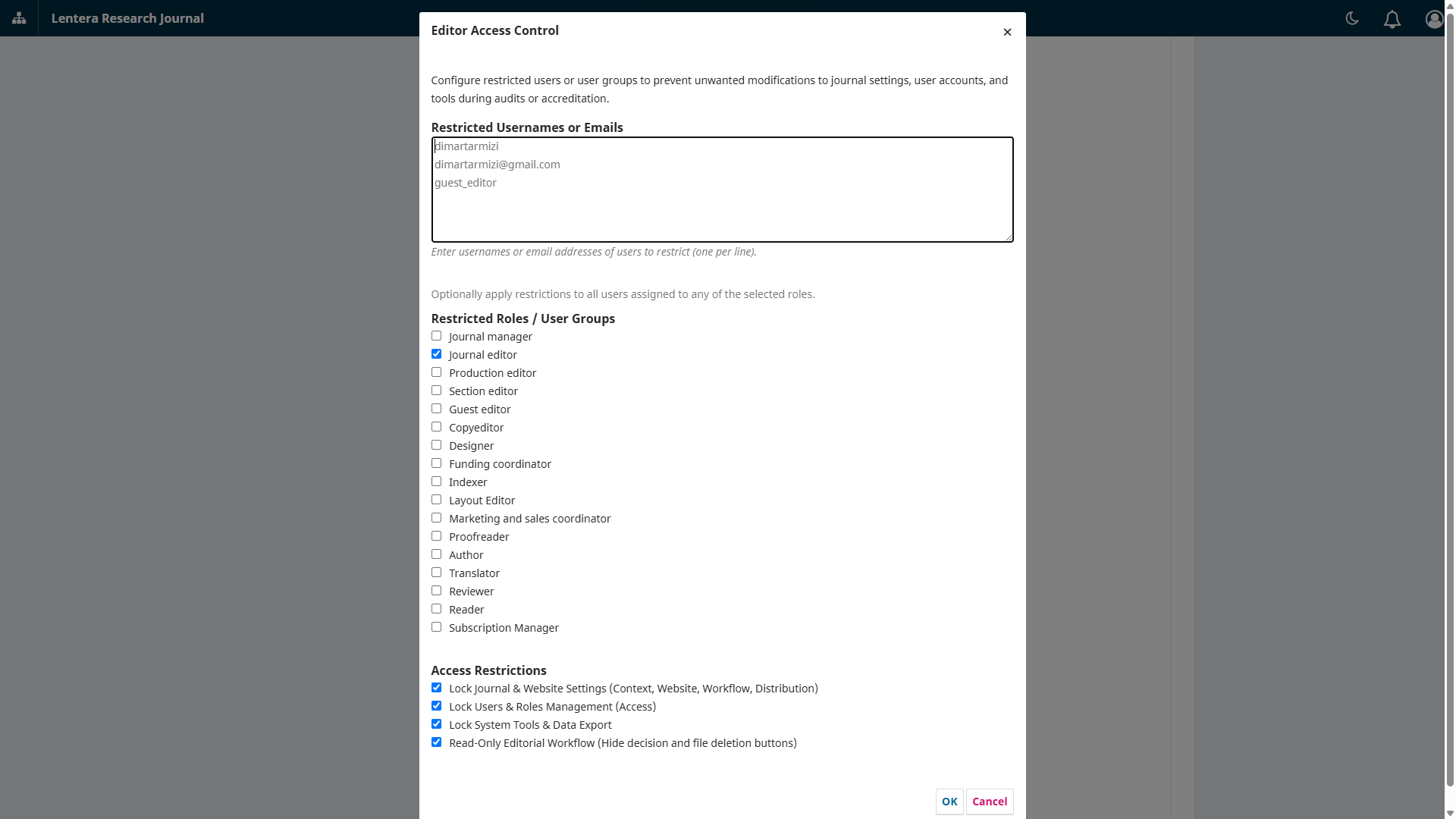
OJS Editor Access Control
Grants editorial workflow access to editors while strictly blocking managerial settings and user impersonation.
FreeView Details